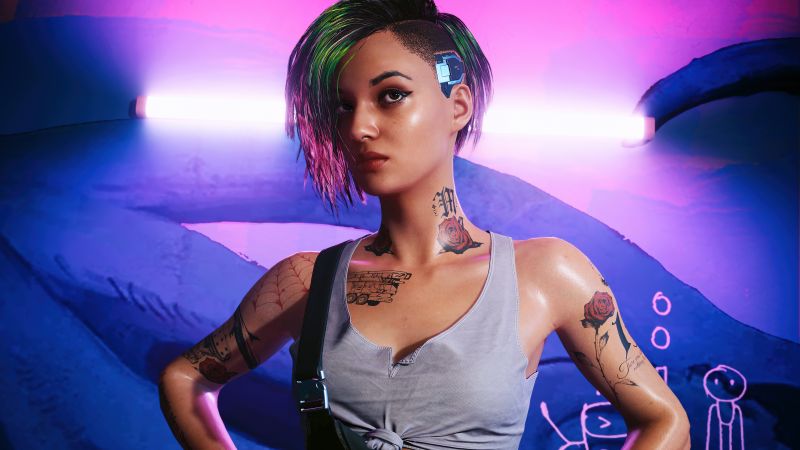
A single mistranslated word can haunt a game for years. Remember the Ghostbusters NES ending that congratulated players with “Conglaturation!!!” and told them to “go a rest our heroes”? Or the Grandia II German version where “Miss” (as in a missed attack) became the word for an unmarried young woman, turning combat feedback into accidental comedy? These weren’t clever localization choices. They were the direct result of translators working without any visual context—no screenshots, no gameplay footage, just raw text files. The jokes landed, but the developers didn’t laugh when players turned them into memes that overshadowed the actual game.
For indie studios, especially those shipping mobile apps, these blind-translation moments aren’t just embarrassing. They expose three painful realities: translators guessing at context, UI elements exploding under longer languages like German or Russian, and manual regression testing eating weeks of launch time. The fix isn’t more translation. It’s LQA—Language Quality Assurance—done right, with visuals front and center.
What LQA Actually Does (and Why It’s Not the Same as Translation)
Translation gets the words from one language to another. LQA tests whether those words survive in the real game. It’s the difference between a script that reads fine in a spreadsheet and one that feels native when a player is dodging enemies at 2 a.m. Linguistic checks catch tone and consistency. Visual checks spot text that overflows a button. Functional checks make sure a localized “Continue” actually continues.
Industry reports back this up. CSA Research’s “Can’t Read, Won’t Buy” study across thousands of consumers found that 76% prefer buying in their own language, with even higher numbers (up to 94% in some Asian markets) choosing the localized version when options compete. For indies, that preference translates directly to Steam wishlists, app-store visibility, and revenue. One analysis of Steam data showed non-English interface support alone can lift discovery and sales dramatically in key markets—sometimes by tens of percentage points.
Why Blind Translation Keeps Producing the Same Jokes
Without context, translators rely on dictionaries and best guesses. A word like “miss” is harmless in English until it appears next to a sword swing. In German, the combat meaning vanished because no one saw the UI. The same thing happened in early Final Fantasy titles where entire scripts were handed over with zero reference images. Players still quote the results because the errors were so gloriously weird.
The bigger problem is scale. Russian and German text routinely expands 30–50% compared with English. A perfectly centered English button becomes a clipped disaster in those languages unless the UI was designed to flex. Mobile screens make it worse—smaller real estate, touch targets that suddenly overlap. Developers discover these issues only after the build goes live, when it’s too late for a quiet fix.
Building a Visual Testing Environment That Actually Works
The solution starts early and stays visual. The best studios treat localization as part of the design phase, not a post-launch scramble.
First, implement pseudo-localization during development. Replace real strings with expanded placeholders—longer text, accented characters, brackets around every phrase. Load the game in “pseudo-German” mode and watch what breaks. Buttons resize automatically, text wraps instead of clipping, and you catch hardcoded strings before any human translator opens the file. Modern engines make this trivial; the payoff is enormous because you fix layout problems while the code is still cheap to change.
Second, give translators real context from day one. Tie every string to a screenshot or short gameplay clip inside your translation management system. When a line appears during combat, the linguist sees the enemy animation. When it’s a menu label, they see the surrounding icons. This single change eliminates most “out-of-context” howlers.
Third, run structured LQA rounds on actual localized builds. Testers play through on target devices, flag visual glitches, and report them with screenshots. For mobile apps, this means checking every orientation, every screen density, and every OS version where your audience actually plays.
A Practical Mobile App LQA Testing Checklist
If you’re handling mobile localization, keep this sequence in mind:
Linguistic review in context: Does the tone match the game’s vibe? Are cultural references adapted rather than literally copied?
UI fit and overflow: Expand text by 40% and test every button, label, and tooltip. German and Russian are your stress-test languages.
Functional flow: Does “Buy now” still trigger the right store link? Do localized achievement pop-ups dismiss correctly?
Device-specific checks: Run on low-end Androids common in emerging markets, plus the latest iPhones. Watch for font rendering and right-to-left support if you add Arabic or Hebrew later.
Regression after fixes: One change can break another language’s layout. Automate what you can, then spot-check manually.
How to Fix UI Overflow Once and for All
Design defensively. Use dynamic text sizing, flexible containers, and ellipsis rules only as a last resort. Test early with pseudo-localization so you’re not resizing art assets at the last minute. For mobile, keep button padding generous and allow multi-line text where it makes sense. The developers who do this once rarely have to do it again—their UI code simply survives whatever language gets thrown at it.
Evaluating Automated LQA Tools—What Actually Helps Indie Teams
Automation has matured. Tools like Phrase’s Auto LQA, Lokalise AI, ContentQuo, and Gridly’s AI checks now score translations for consistency, terminology, and basic style before a human ever looks. They can cut LQA time by up to 99% and costs by around 65% while flagging obvious errors. For indies, the smartest approach is hybrid: let AI handle the repetitive first pass, then route only the flagged items (plus a random sample) to experienced game linguists who understand humor, lore, and player psychology.
No tool replaces human judgment for creative content, but the right ones free your team from drudgery so they can focus on what matters—making the game feel native everywhere it ships.
The Bottom Line for Indie Developers
Localization done right isn’t an expense; it’s the difference between a niche English-only title and a global hit that keeps selling years after launch. Blind translation creates memes. Proper LQA with visual context creates loyal players who never notice the work—because it just feels right.
At Artlangs Translation, we’ve spent more than 20 years perfecting exactly this kind of work. Proficient in over 230 languages, we maintain a network of more than 20,000 professional collaborators and have delivered hundreds of successful projects in game localization, video localization, short drama subtitling, multilingual voice-over for short dramas and audiobooks, plus precise multilingual data annotation and transcription. Whether you need a full visual testing pipeline, mobile LQA that catches overflow before it ships, or end-to-end support that keeps your launch on schedule, our teams bring the scale and game-specific expertise that turns good titles into worldwide experiences. If your next project deserves to cross borders without crossing fingers, we’re ready to make it happen